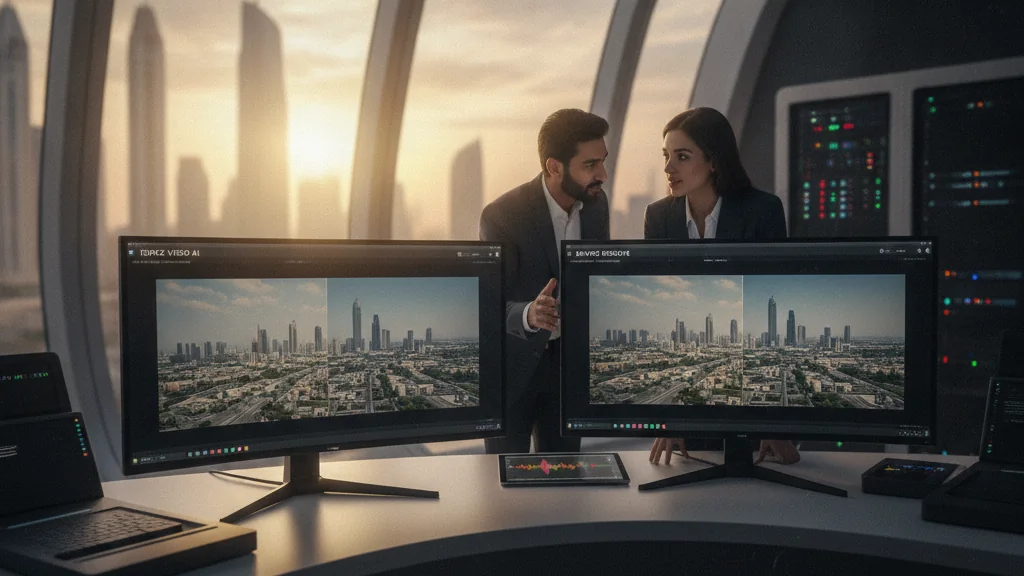
What AI video archive restoration in Dubai requires for 4K corporate footage
Dubai businesses, from hospitality groups in Jumeirah to fintech teams in DIFC, rely on large corporate video archives. These assets are often 4K footage captured years ago for events at the Burj Khalifa, product launches in Dubai Marina or internal training in Business Bay, and they represent significant investments. But as display technology moves to 8K signage and streaming compresses harder, that archive no longer holds up on modern screens.
The challenge: what Dubai video archive restoration means for 4K corporate footage
Imagine a luxury hotel group in Downtown Dubai wanting to re-purpose 4K footage from a grand opening five years ago for a new 8K digital signage campaign. Or a real estate developer in JBR needing to enhance drone videography of early project phases for a virtual tour. The original 4K might look acceptable, but for true visual impact on larger, higher-resolution displays, it often falls short. Traditional upscaling methods can introduce artifacts, blurring, or a generally "soft" look. AI, however, offers a smarter approach, learning from vast datasets to intelligently add detail, reduce noise, and even deinterlace footage without sacrificing authenticity.
The demand for high-quality video is only growing, which means archived Dubai footage now has to compete with AI-generated production rather than sit untouched in a drive. Chinese models such as Vidu and Pixverse have already reached regional production houses, as this comparison of Vidu 2.0 and Pixverse V5 shows, so the bar for restored archive material has risen every year.
Topaz Video AI: surgical precision for specific restoration tasks
Topaz Video AI is a standalone application renowned for its specialised AI models. It excels at upscaling, de-noising, de-interlacing and frame interpolation, as listed on the official Topaz Video AI product page. A previous Topaz Video AI 5.0 archive guide covers the model set in more detail, including the RTX 5090 hardware requirement for real-time 4K-to-8K output.
For a Dubai agency managing a large volume of varied corporate archives, Topaz Video AI offers a streamlined workflow for batch processing. If a client has hundreds of hours of 4K footage from a decade of real estate launches in Al Quoz, and the primary goal is to simply upscale to 8K and reduce sensor noise, Topaz can handle this with minimal human intervention. The software typically costs around $299 for a perpetual license with a year of upgrades, making it a solid investment for dedicated restoration needs.
DaVinci Resolve’s Neural Engine: integrated power for a complete restoration pipeline
DaVinci Resolve, particularly its Studio version, integrates AI-driven tools under its Neural Engine, documented on the official DaVinci Resolve product page. These extend beyond simple upscaling, offering intelligent face recovery, noise reduction and object masking that fold into an existing edit timeline. Teams that also need generative work upstream can pair it with an AI content production service when the archive needs new scenes around the restored footage.
The advantage here is workflow efficiency. Imagine a brand marketing team in Business Bay needing to not only upscale 4K footage but also perform color correction, apply a modern LUT, and perhaps even remove a distracting element from the background. Resolve allows all these tasks to be managed within a single application. This integration can save considerable time compared to exporting footage, processing it in a separate AI tool, and then re-importing for final touches. DaVinci Resolve Studio is a one-time purchase, typically around $295, offering immense value for its comprehensive feature set.
Head-to-head: AI video archive restoration for 4K corporate footage in Dubai
For pure upscaling of 4K corporate footage, both tools perform well. Topaz often produces slightly sharper results in fine detail and complex textures, thanks to dedicated per-task models.
DaVinci Resolve's Super Scale, while excellent, tends to be more conservative. It protects the original integrity of the footage, producing a cleaner but sometimes less dramatic result on heavy grain. The trade-off against Adobe's approach is covered in the Topaz versus Firefly archive upscaling comparison.
Both tools also handle AI-driven enhancement beyond raw upscaling. Resolve 20 pairs Super Scale with localised tracking, so a scratched logo on an archived Dubai Marina facade can be masked before it reaches the upscale pass. Topaz counters with dedicated artefact-removal and frame-recovery models that hold up better on interlaced broadcast originals, which matters for corporate footage sourced from Dubai TV archives and conference recordings shot in the early 2010s.
Cost, workflow and Dubai-specific restoration considerations
From a cost perspective, both tools are a one-time purchase and fall within an accessible range for most Dubai businesses and production houses. Topaz Video AI’s $299 for a perpetual license is competitive, especially for teams solely focused on restoration. DaVinci Resolve Studio’s $295 offers a full suite of editing, color, VFX, and audio tools, making it an incredibly strong value proposition if those additional functionalities are needed. For smaller boutique production houses in Deira or freelance editors, either option presents a powerful, affordable upgrade to their toolkit.
Workflow is a major differentiator. If a team already uses DaVinci Resolve for the majority of its post-production, integrating the Neural Engine for upscaling is a no-brainer. It keeps everything within one ecosystem, reducing render times and simplifying project management. However, if there is a dedicated archive restoration project, or if the primary editing software is Adobe Premiere Pro or Avid Media Composer, then Topaz Video AI can serve as an excellent specialized tool in the pipeline. It can be seen as a powerful plugin that enhances an existing workflow.
Consider the context of Dubai's dynamic market. Luxury brands demand impeccable visual quality, hospitality brands in Jumeirah need their visual assets to reflect premium service, and real estate developers in Dubai Marina use restored footage for virtual staging and property tours. In these settings, the ability to restore and enhance legacy footage extends the lifespan and value of existing corporate video assets significantly.
The verdict for Dubai businesses
For Dubai businesses and production teams seeking to restore 4K corporate footage, the choice between Topaz Video AI and DaVinci Resolve’s Neural Engine depends largely on their existing workflow and specific needs. If the priority is a highly specialized tool for aggressive upscaling, noise reduction, and de-interlacing, Topaz Video AI is a strong contender. It’s a dedicated workhorse for specific visual challenges.
If the team requires an integrated solution that combines AI upscaling with a full suite of editing, colour grading and VFX tools, DaVinci Resolve Studio with its Neural Engine is the more comprehensive and efficient choice. It is ideal for those who want to manage their entire post-production pipeline in one application.
One concrete rule of thumb: budget roughly a quarter of the final runtime for restoration on source footage shot below 1080p, and closer to a tenth for native 4K scans that only need gentle cleanup. On a two-hour Dubai corporate training library that is the difference between a four-week and a seven-week restoration schedule, which is usually the deciding factor for a fixed launch date.
When handling sensitive corporate archives, keep encrypted storage in place before and after processing and maintain multiple backups of both original and restored files to prevent data loss.